
Kymber
Location when it matters.
Your location is yours. Kymber shares it only the moment you actually need it to — when you send it, accept a request, or raise an alarm. No always-on switch, no silent tracking, no trail of everywhere you've been.


Most location apps leave a switch flipped on, quietly broadcasting where you are until you remember to turn it off.
Kymber works the other way around. It never shares your location on its own. Your location goes out only when you choose to send it, accept a request from someone you trust, or raise an alarm.
The one thing that keeps running is a live share you started yourself — and it stays plainly visible on your own phone until you stop it.
From "I'm here safe" to "I need help now"
Some moments are light. Some are serious. Most apps handle one end or the other — Kymber is built for all of it.
Location sharing, on your terms
Share your live location with a trusted contact for as long as you choose, and stop anytime. Say where you're headed and they'll see both pins and how far you still have to go. Send a one-time ping, or ask for a check-in — they stay in full control of their answer. Every share is one-way.
Meet Up
Pick a place and time and see who's on their way, live location optional as you go. Change the time, let people answer "maybe," send a "running late" ETA, and save the spots you use often.
Kymber Groups
Not just social media, Safety media. A trusted-contacts-only board for the places you've actually been — saved spots, meet-up memories, and check-ins. No strangers, no feed to perform for, no broadcasting where you are now.
Location Snapshots
Save and name the places that matter — home, work, the trailhead. Share one in a tap, or turn it into a Meet Up. Your places stay on your phone until you choose to send one.
Letters, on your terms
Send a note, a card, or a heartfelt letter to one trusted contact. Show your name or stay anonymous. Add your location or leave it off. Set it to expire, lock it behind their PIN, or have it delete itself the moment it's read.
When seconds count
Hold the SOS button and it does everything at once: a loud alarm to your emergency contacts, your live location, and 911 one tap away. It reaches them through Do Not Disturb and Focus — on Android it can override silent mode too — and that's yours to control. As people respond, you see who's on the way.
Silent SOS
Reach one person without a sound and without a scene. The alarm is optional, nothing lights up your screen, and it never appears in your history. Getting help safely sometimes means not letting anyone see you ask.
Check on me
Set a timer before you head out, and check in when you're safe. Miss it, and the people you chose are told and given your last-known location — even if your phone died on the way. Free, like the SOS button.
Unavailable & Stealth
Flip to Unavailable and everything goes quiet — no requests, no reach. Or go fully dark with Stealth. The only thing that breaks through is a true SOS from an emergency contact.
A closer look
Every screen is built around one idea: nothing leaves your phone until you decide it should.
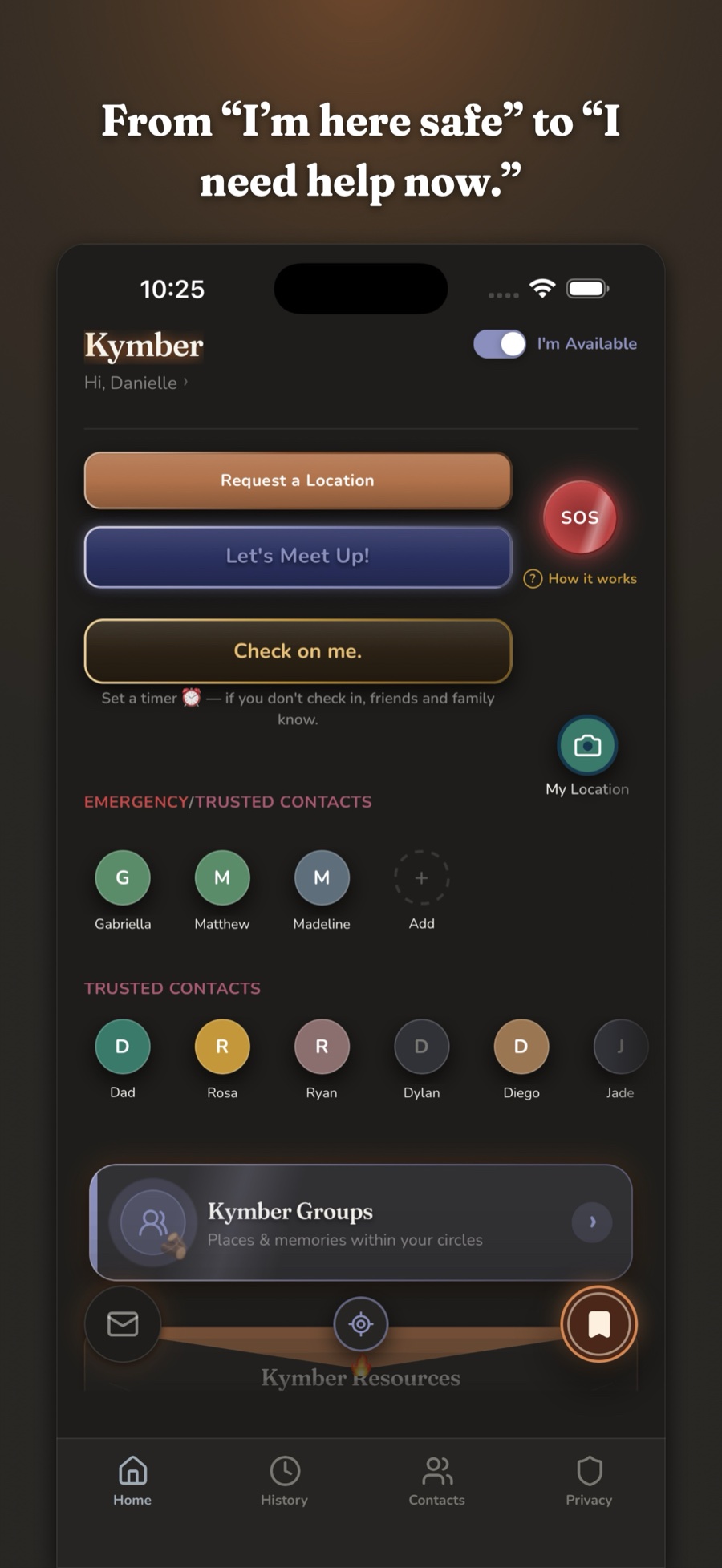
One tap to everything
Share, meet up, or raise an alarm — all from the very first screen.
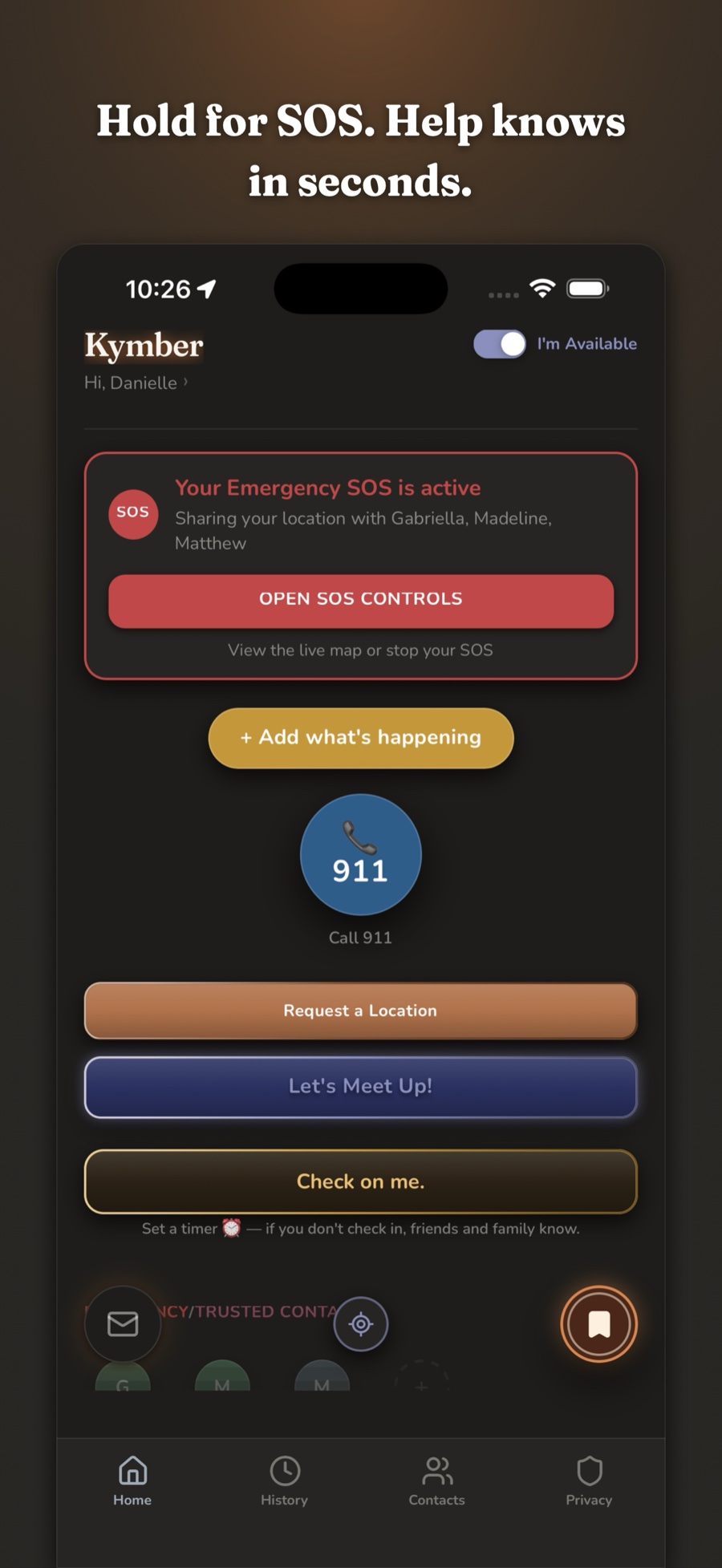
SOS, the instant you need it
Hold to send a loud alarm, your live location, and 911 — all at once.
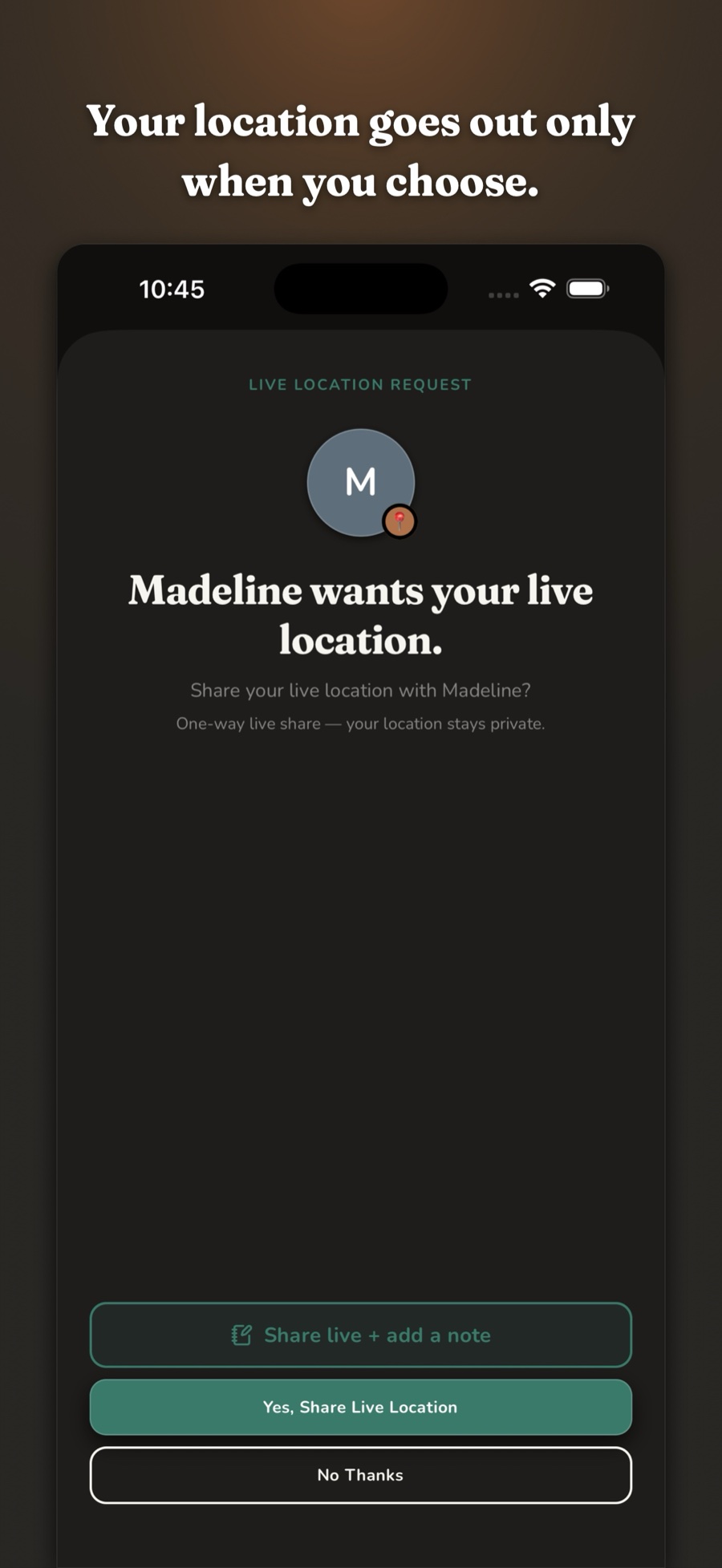
Your call, every time
Someone asks; you choose. The share is one-way, and stays private until you say yes.
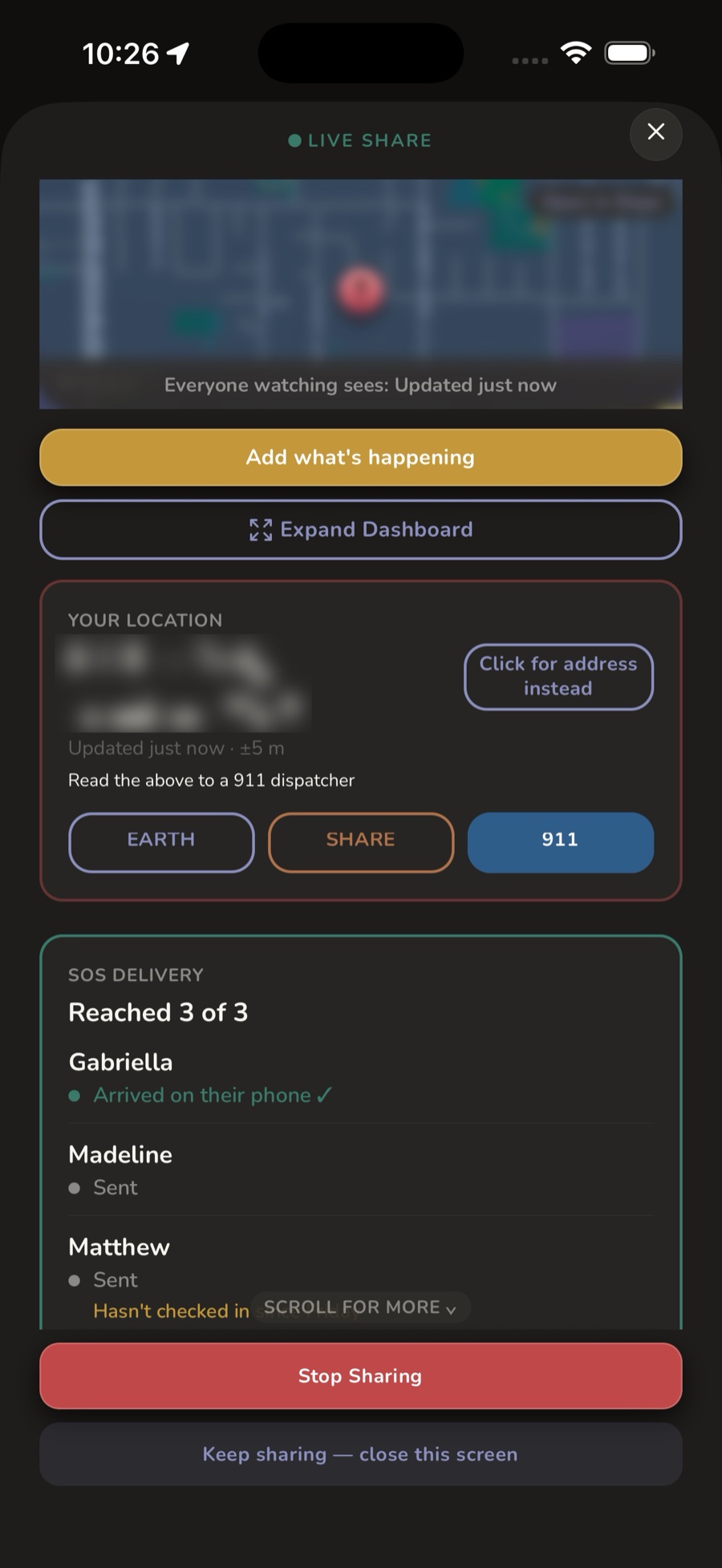
Your exact coordinates
Read them straight to a 911 dispatcher, or open Maps — even if you don't know where you are.
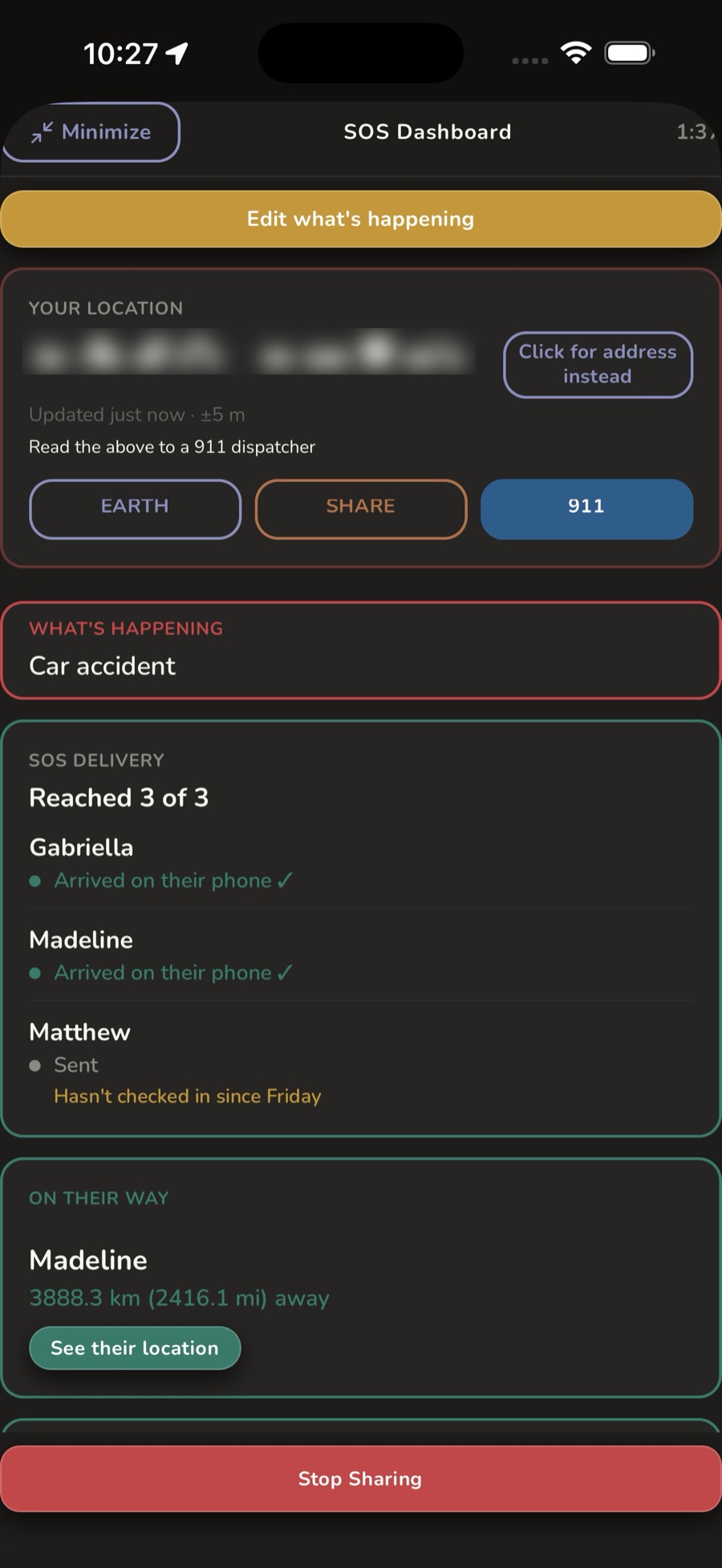
You're not shouting into the dark
Watch it reach every phone, see who's on their way and how far out — and who can't come.
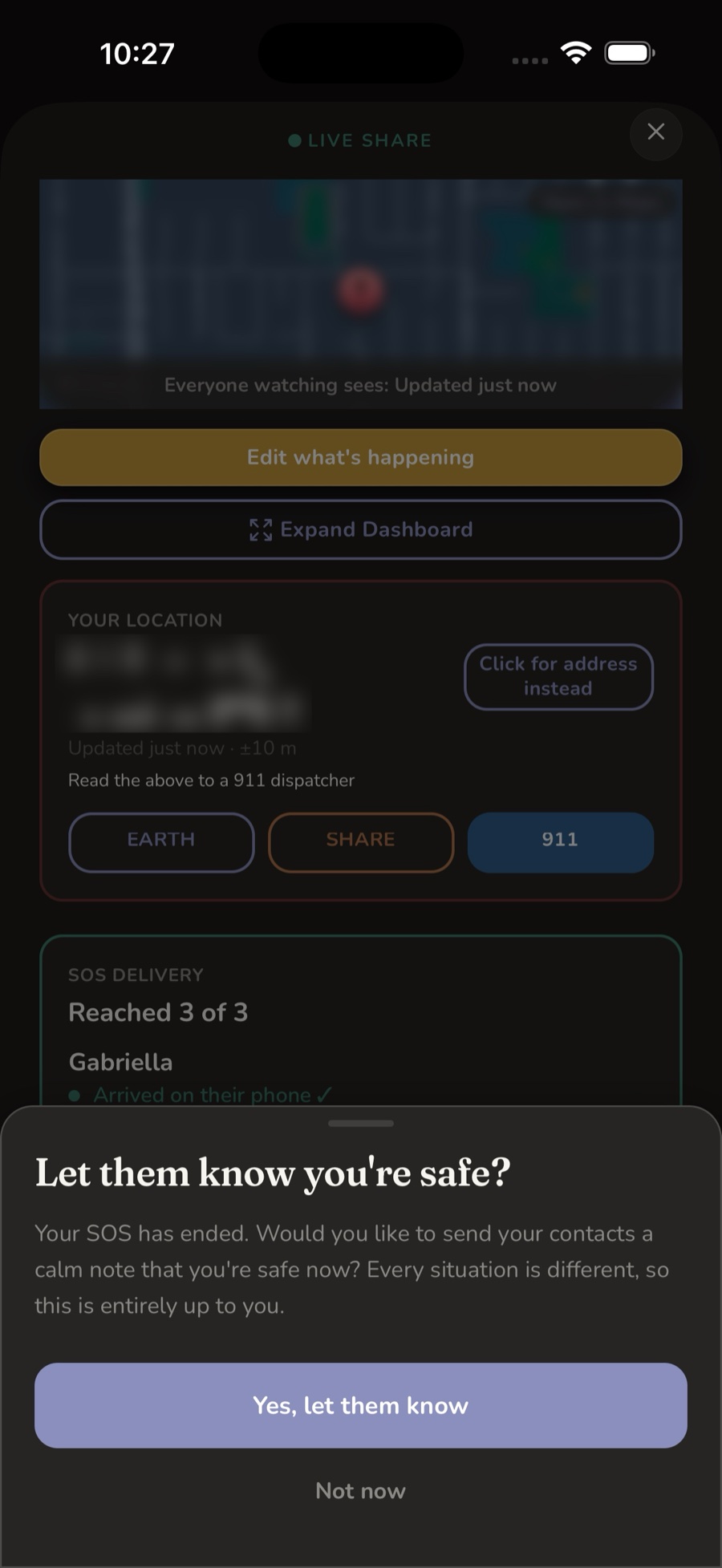
And then, the all-clear
When it's over, tell everyone you're safe in one tap — calm, and no scene.
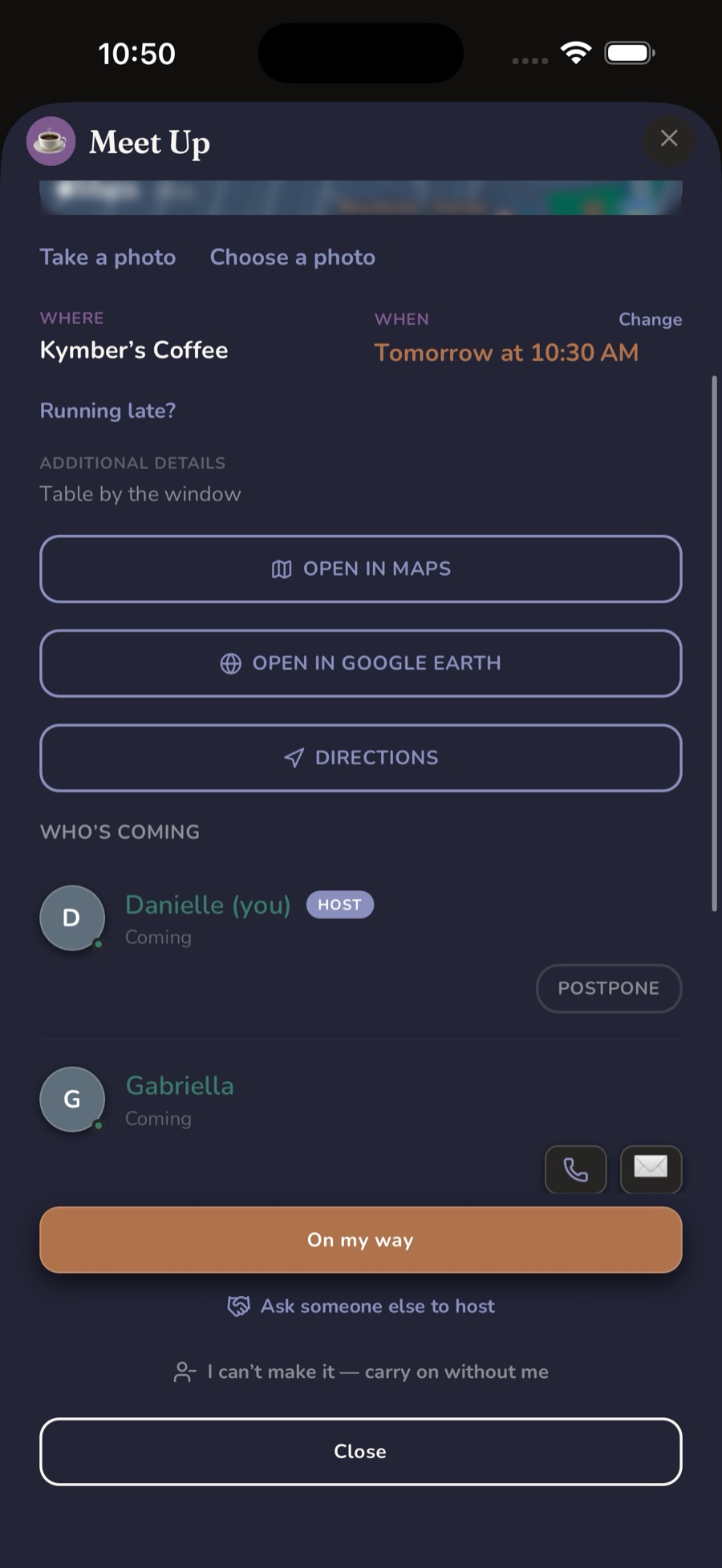
See who's on their way
Pick a place and time, watch who's coming, and share live location as you head over.
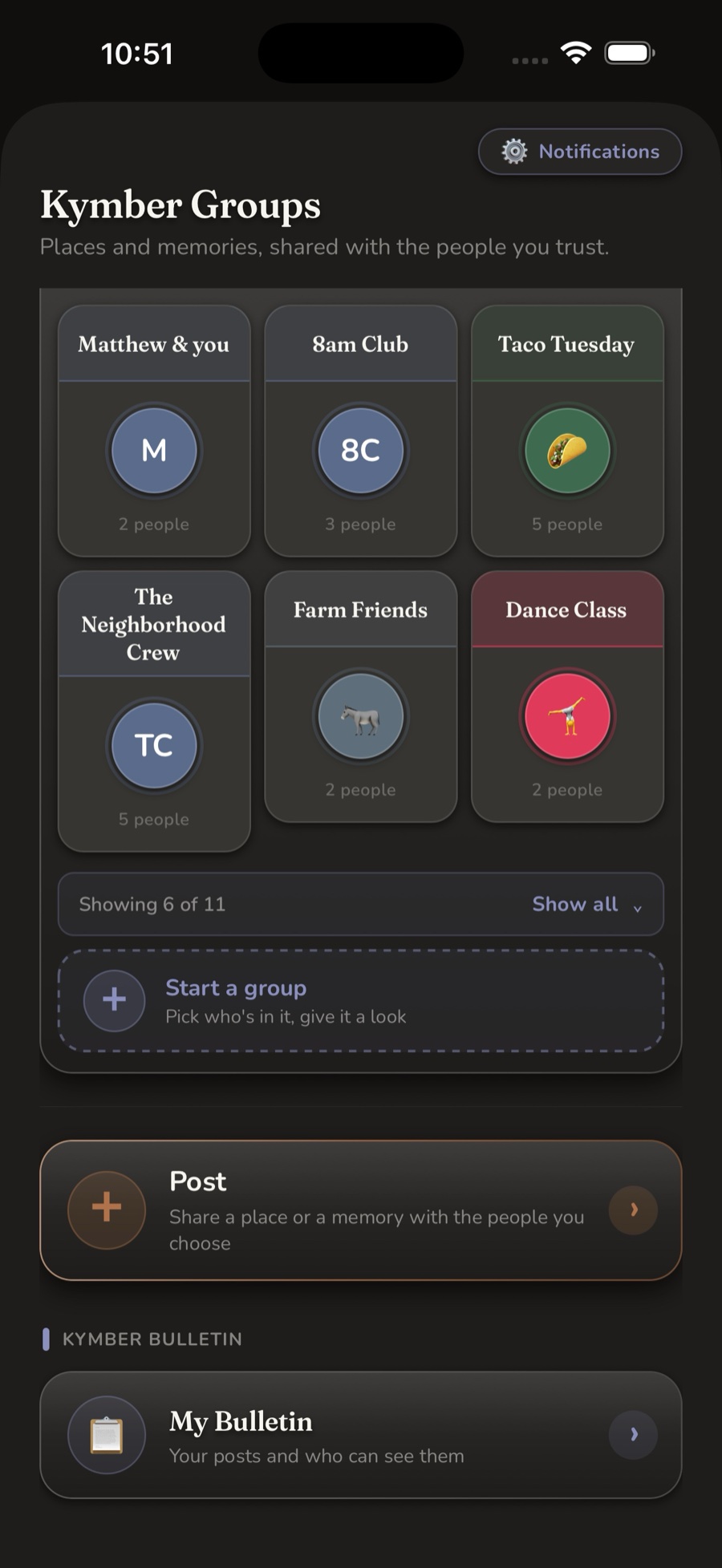
Kymber Groups
Not just social media, Safety media — a private board of places and memories, trusted people only.
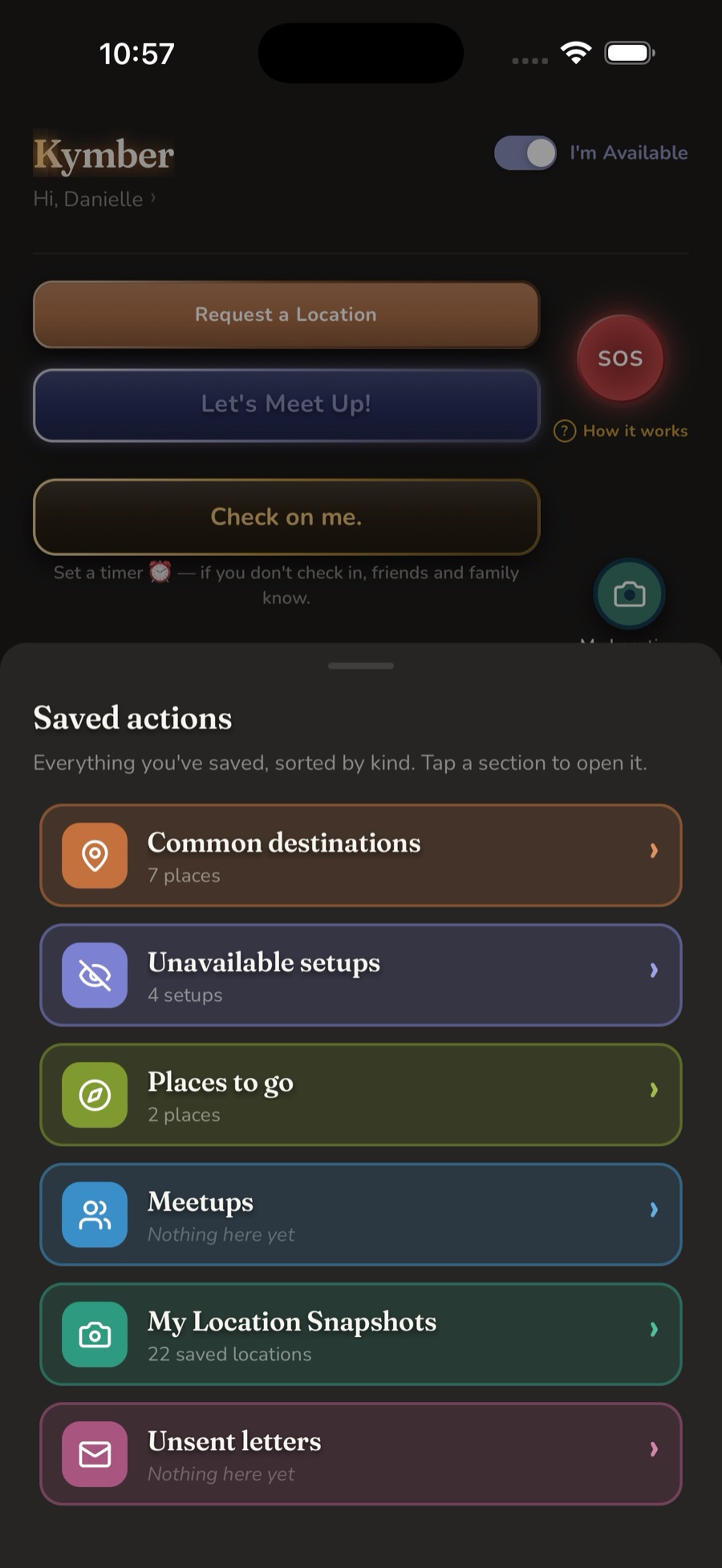
Everything you've saved
Destinations, Unavailable setups, places to go, meetups, snapshots and unsent letters — sorted by kind, one tap from Home.
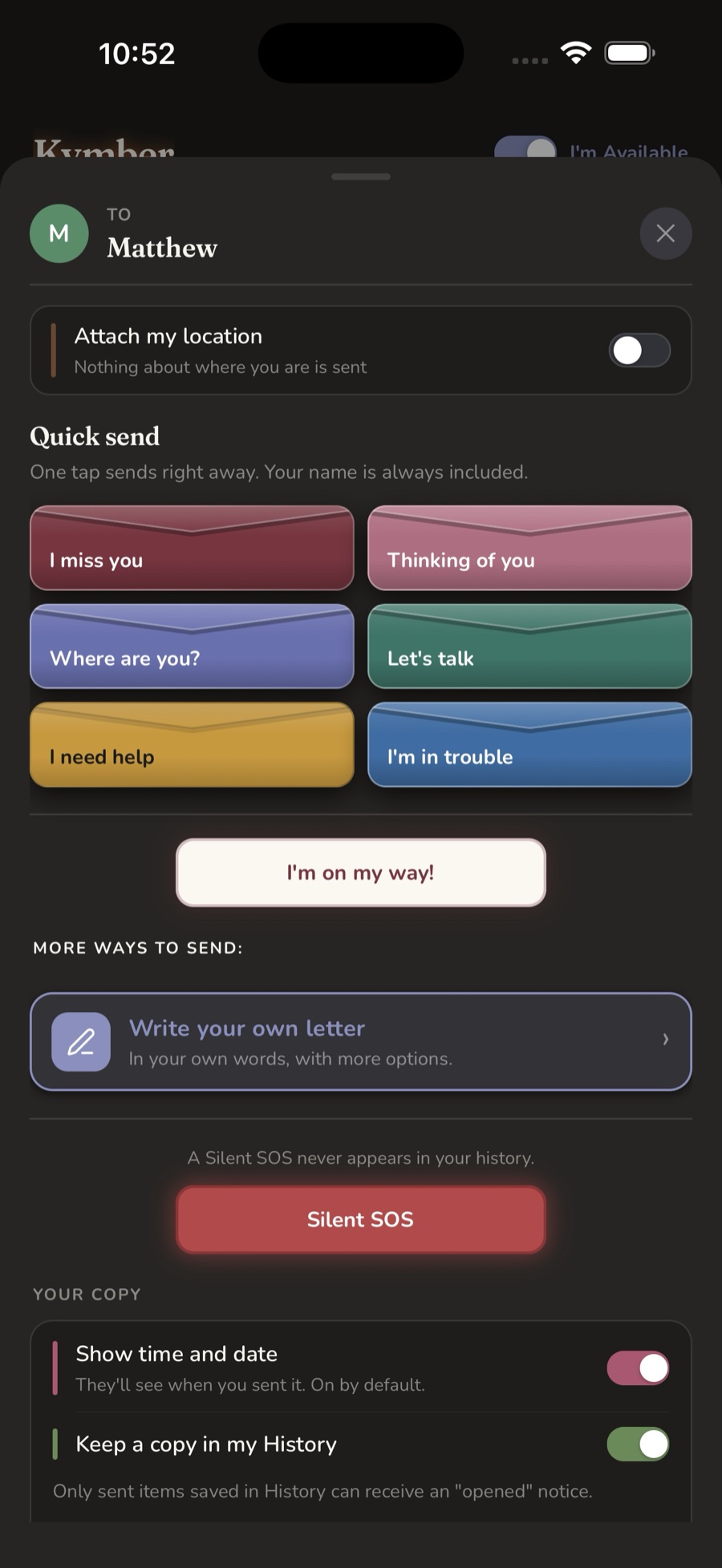
Say it in one tap
Ready-made cards, an "I'm on my way," and a Silent SOS that never shows up in your history.
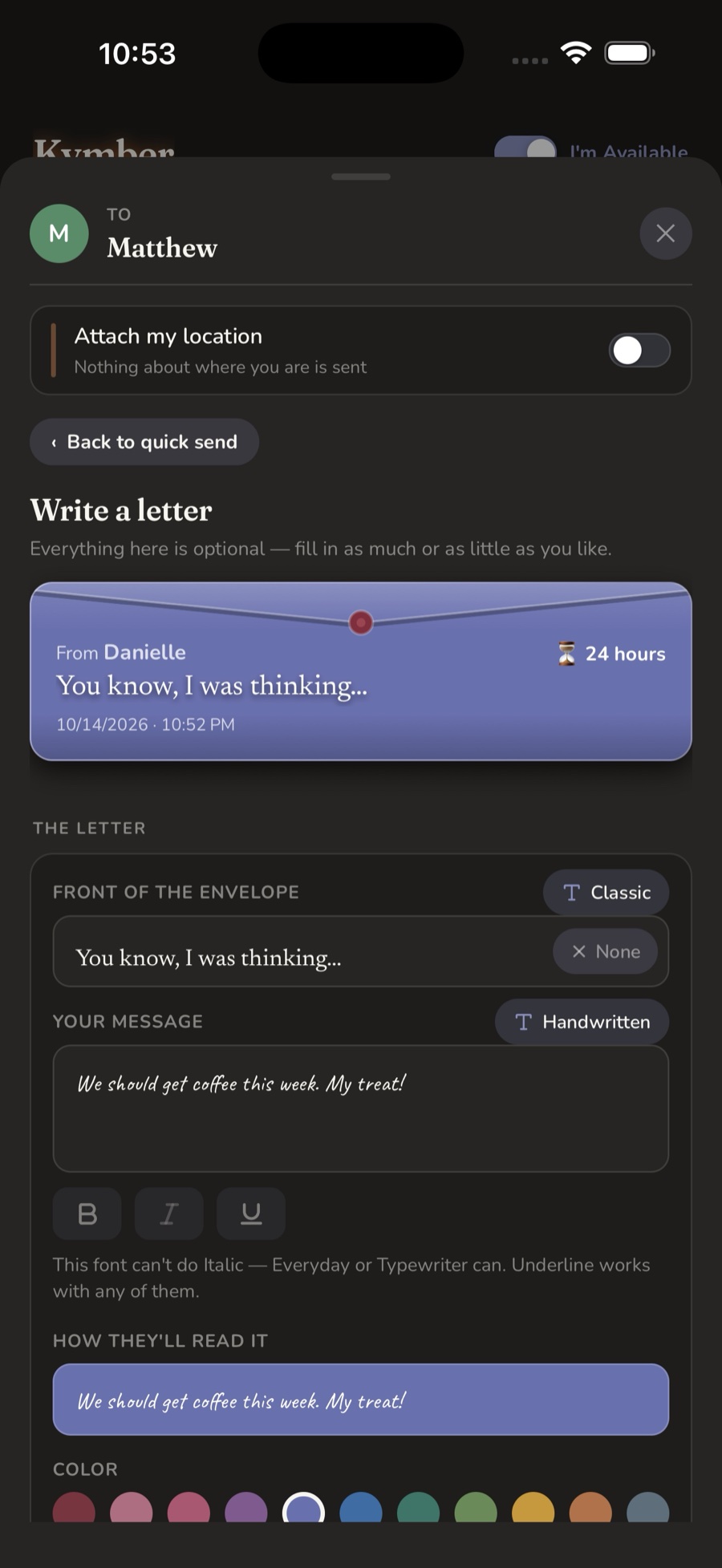
Letters worth keeping
Your words, your color, your handwriting — with the envelope taking shape as you type.
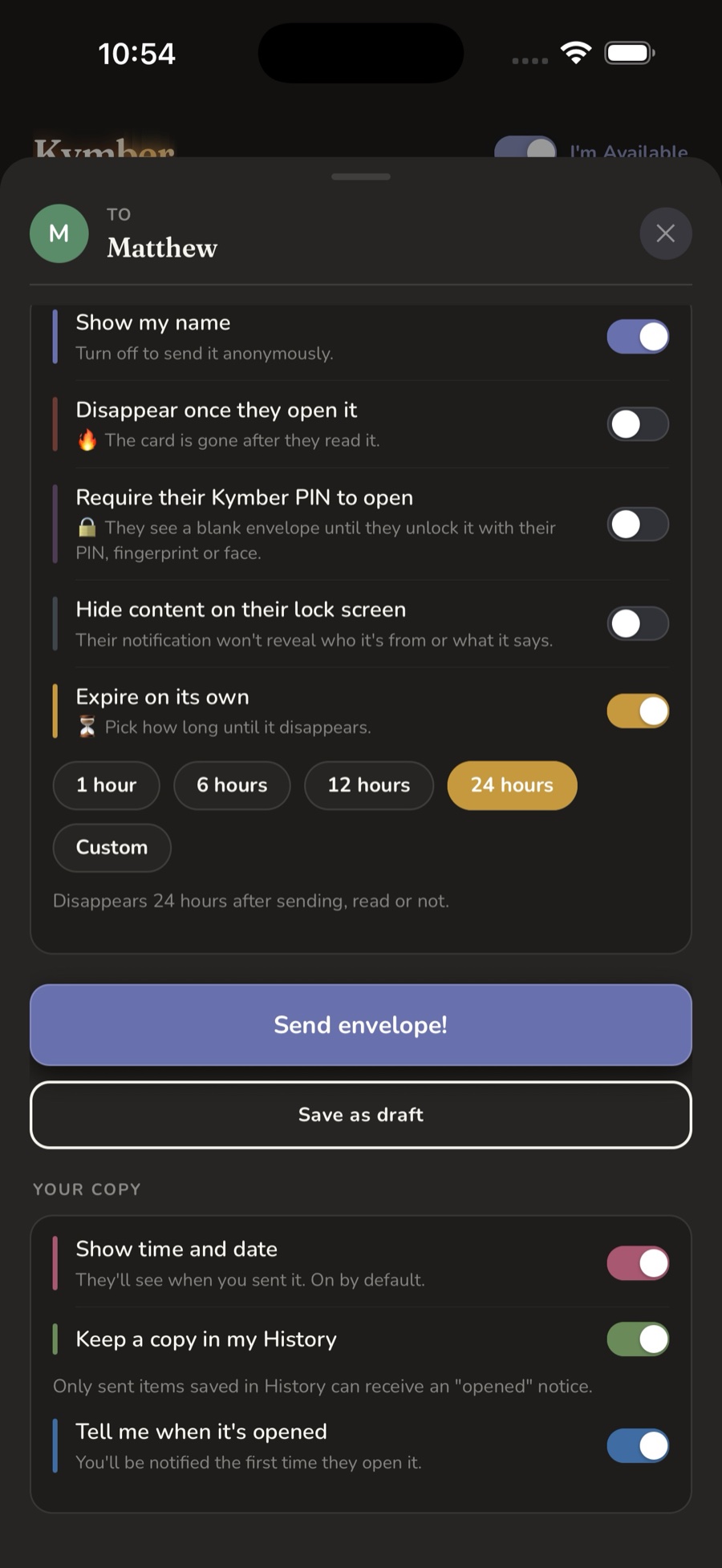
Letters, on your terms
Anonymous, self-destructing, PIN-locked, hidden from the lock screen, or set to expire. Every detail is yours.
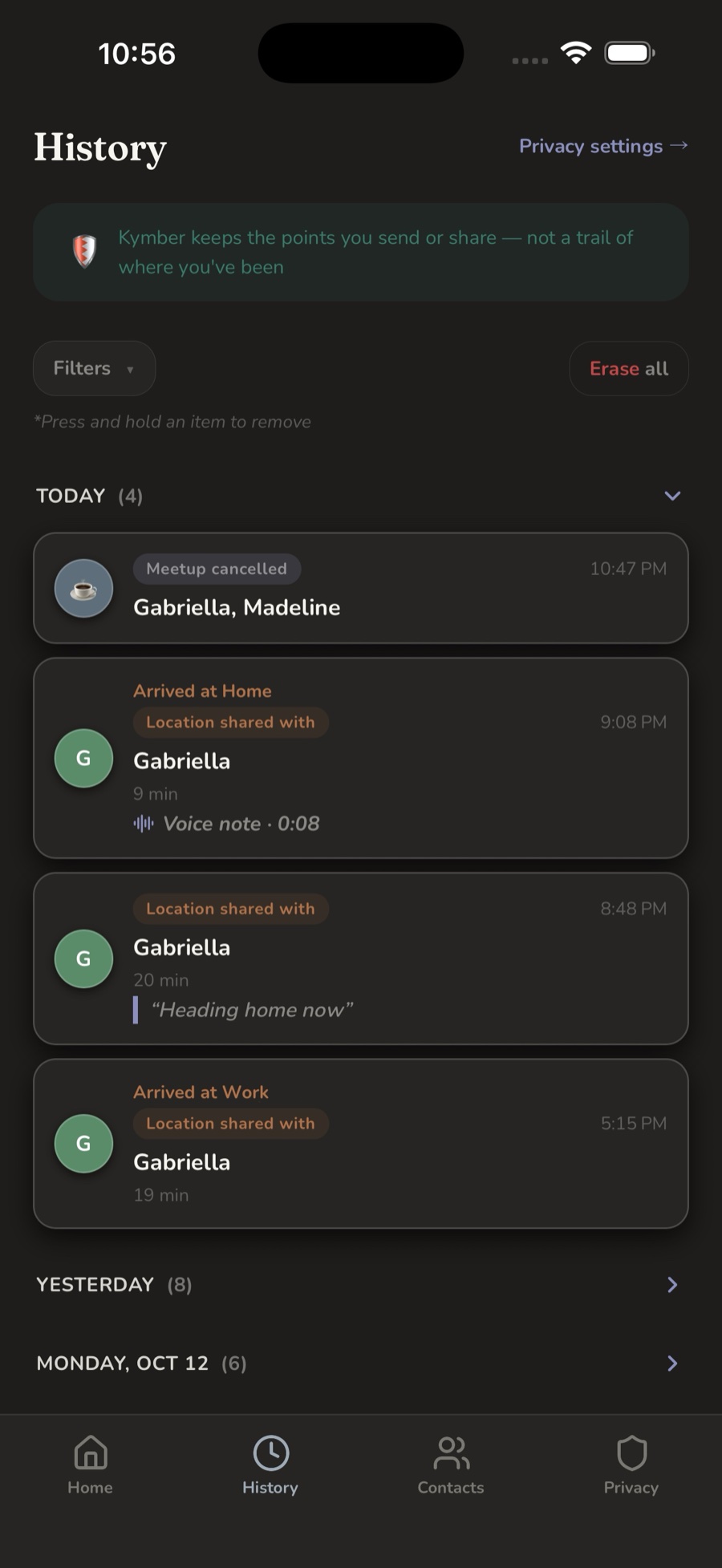
What you sent — not where you've been
Kymber keeps the points you chose to share. There's no trail of your day to scroll through.
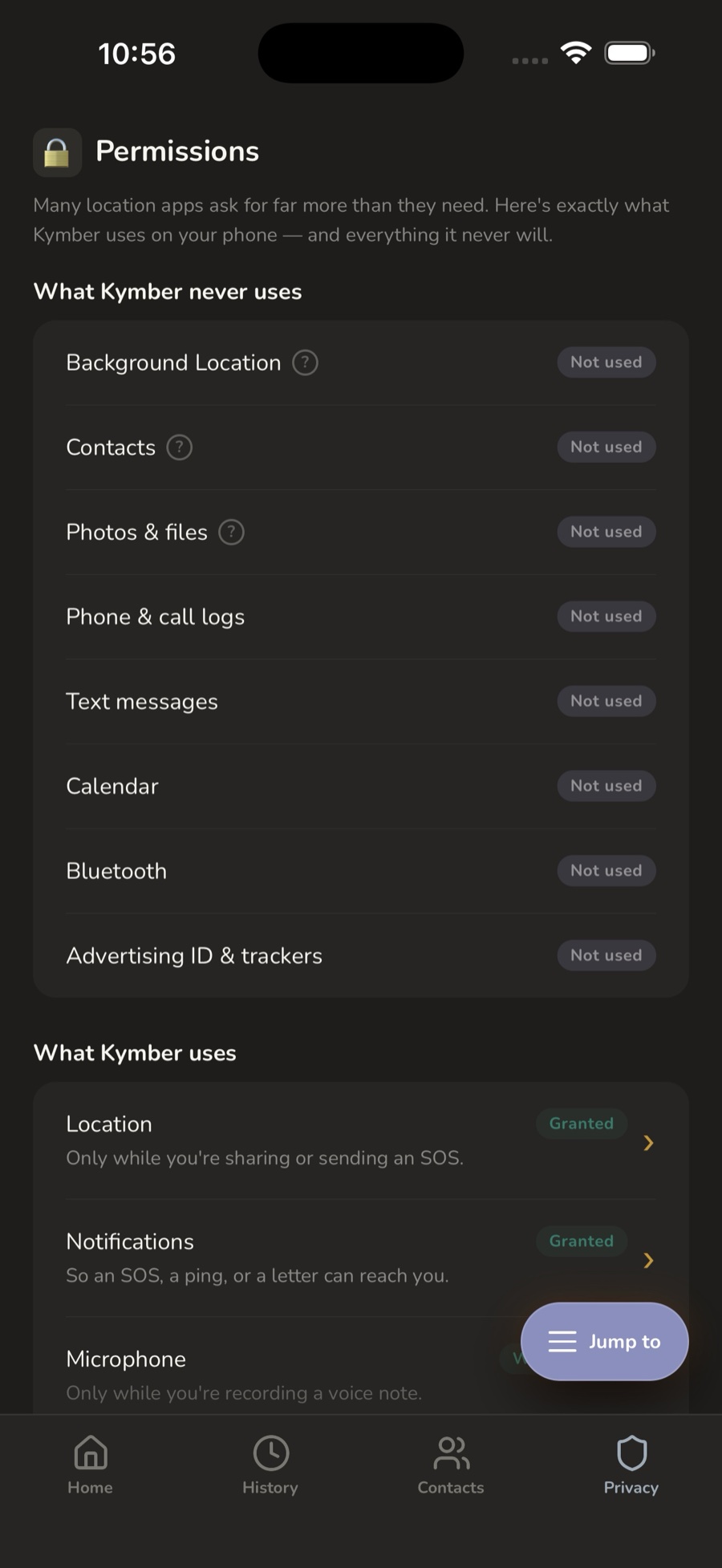
Privacy you can see
The things Kymber never touches — background location, your address book, your call logs, your messages.
Real help, in real time
Kymber's SOS is the heart of the app — and it's free forever. Tap a clip to watch it work (turn your sound on).
Clips are real screen recordings from the app. Nothing loads until you tap play.
Not everyone you trust belongs in an emergency
That's why Kymber keeps them apart — so the right people get the right kind of reach.
For when it's serious
The short list of people who can receive your SOS — a loud, breaks-through alarm with your live location, so help can come straight to you.
For everything else
The people you share with day to day — check-ins, meet-ups, letters, and on-demand location. Close, but not part of an alarm.
We keep only what it takes to work for you
Never sold, never tracked in the background. At any time you can delete individual letters, remove contacts, clear your history from view, or delete your account and everything tied to it.
No silent tracking
Kymber never shares your location on its own. The only thing that runs in the background is a live share you started — and it's always visible until you stop it.
Optional recovery
Off by default. Link a Google account — or Sign in with Apple on iPhone — and your notes and settings survive a new phone, only if you choose to. Nothing is backed up unless you opt in.
Delete anything, anytime
Remove a letter, a contact, your history from view, or your whole account and everything tied to it — on your terms, from inside the app.
Free where it matters most
Real safety shouldn't sit behind a paywall. So the SOS button and the everyday safety essentials are free forever — no trial, no subscription. Most apps just choose not to.
The safety essentials
The SOS button and its breakthrough alarm, live location and one-tap 911, sending your location any time, "I'm on my way," Check on me, and Silent SOS. Always free, for everyone.
The everyday features
Letting contacts reach you, live location sharing, Meet Up, Letters, and Kymber Groups — a 7-day free trial, then $11.99 a year. A one-time $1.99 unlocks unlimited contacts.
Renews automatically until you cancel. Cancel anytime in Google Play on Android, or in your Apple ID subscription settings on iPhone.
Frequently asked
Is Kymber free?
Kymber is free to download, and the safety essentials are free forever — the SOS button and its breakthrough alarm, live location and one-tap 911, sending your location any time, "I'm on my way," Check on me, and Silent SOS never cost anything, with no trial or subscription. The everyday features — letting contacts reach you, live location sharing, Meet Up, Letters, and Kymber Groups — come with Kymber membership: a 7-day free trial, then $11.99 per year. A one-time $1.99 unlocks unlimited contacts. You can cancel anytime — in Google Play on Android, or in your Apple ID subscription settings on iPhone.
What stays free forever?
Five everyday-safety essentials never sit behind a paywall: the SOS button (its alarm, live location, and one-tap 911), sending your location any time, "I'm on my way" with optional live location, Check on me, and Silent SOS. Real safety shouldn't depend on a subscription.
Does Kymber track my location in the background?
No. Kymber never shares your location on its own. It goes out only when you send it, accept a request from a trusted contact, or raise an alarm. The one thing that can run in the background is a live share you started yourself — and your phone shows it plainly the whole time, with an ongoing notification on Android and the location indicator on iPhone, until you stop it.
Does live sharing work on a plane?
Kymber can only share where your phone thinks it is. In airplane mode your phone can't use cell towers to find itself, GPS often can't reach it inside the plane, and the plane's Wi-Fi moves with you, so it can't help either. The people watching keep seeing your last spot, with a note that you haven't moved and your phone is still connected. Nothing is broken: your phone is online, it just has nothing new to send. Your pin starts moving again as soon as your phone can find itself, usually once you land.
How does the SOS button work?
Holding the SOS button instantly alerts your emergency contacts with an alarm that comes through Do Not Disturb and Focus, shares your live location so they can come to you, and puts 911 one tap away. On Android it can override silent mode as well. Your exact coordinates stay on screen so you can give them to responders, and as people respond you can see who's on the way.
What is Kymber Groups?
Not just social media, Safety media. Kymber Groups is a trusted-contacts-only board for the places you've actually been, with saved spots, meet-up memories, and check-ins. There are no strangers, no public feed, and no broadcasting where you are right now.
Can I send messages or notes through Kymber?
Yes. You can send a private letter or card to one trusted contact. Choose to show your name or stay anonymous, attach your location or leave it off, and set it to expire, lock it behind their PIN, or have it delete itself the moment it's read.
What devices does Kymber work on?
Kymber is available for Android phones through the Google Play Store, and for iPhone through the App Store. The iPhone version does everything the Android one does.
Does Kymber read my phone's contacts?
No. Kymber never reads or uploads your address book — you add trusted contacts yourself. If you use the optional picker, your phone hands Kymber only the single contact you tap.
What's the difference between emergency and trusted contacts?
Emergency contacts are the short list of people who can receive your SOS alarm. Trusted contacts are for everyday sharing — check-ins, meet-ups, and letters. Keeping them separate means the right people get the right kind of reach.
Do I need an account to use Kymber?
No. Kymber uses anonymous sign-in, so there's no password to create. You can optionally turn on backup — with Google, or with Sign in with Apple on iPhone — so your notes and settings survive a new phone, only if you choose to.
Can I delete my data?
Yes, at any time. From the Privacy screen you can remove individual letters or contacts, clear your history from view, or permanently delete your account and everything tied to it.
Location when it matters.
Help that's easier to ask for, and easier to give. Free to download on Android and iPhone — and the SOS safety net is free forever.